How to Speed Up a Website in 2026: The Complete Performance Optimization Guide
Step-by-step guide to speeding up a website in 2026. Modern optimization techniques, Core Web Vitals, new technologies, and tools to improve loading speed.

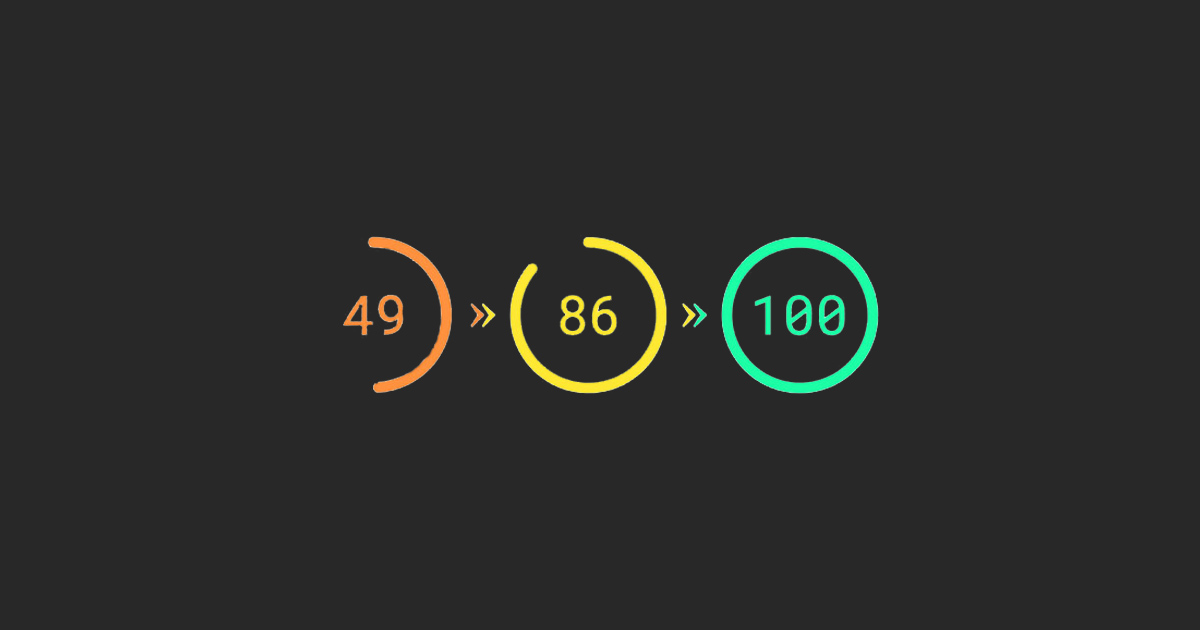
How to Speed Up a Website in 2026: The Complete Performance Optimization Guide
Site loading speed is not just a metric. In 2026, it is the number‑one factor for SEO, conversion, and user experience. Google uses Core Web Vitals as a key ranking signal, and users expect pages to load in under 1.5 seconds.
This guide collects up‑to‑date optimization methods that actually work in 2026 and will help your site outrun the competition.
Why Speed Matters in 2026
The numbers speak for themselves:
- 53% of users abandon a site if it takes more than 3 seconds to load
- Each second of faster loading boosts conversion by +0.5%
- Core Web Vitals are an official Google ranking factor
- Mobile traffic now accounts for over 70% of overall traffic
Core Web Vitals 2026: What You Need to Know
In 2026, Google has updated Core Web Vitals metrics. Here are the current thresholds:
| Metric | Target | Description |
|---|---|---|
| LCP (Largest Contentful Paint) | < 2.0 s | Time to load the main content |
| INP (Interaction to Next Paint) | < 150 ms | Replaces FID, responsiveness on user interaction |
| CLS (Cumulative Layout Shift) | < 0.1 | Layout stability |
| TBT (Total Blocking Time) | < 150 ms | Main thread blocking time |
10 Proven Ways to Speed Up a Site in 2026 (How We Do it With React as an Example)
1. Use Modern Image Formats
JPEG and PNG are fading out. In 2026, the standard is WebP 2 and AVIF.
// next.config.mjs — config for Next.js
/** @type {import('next').NextConfig} */
const nextConfig = {
  images: {
    formats: ['image/avif', 'image/webp'],
    deviceSizes: ,
    imageSizes:,[1]
    minimumCacheTTL: 60,
  },
}
export default nextConfig
Result: image file sizes drop by 30–50% without perceptible quality loss.
2. Implement Lazy Loading
// Component with lazy loading
import dynamic from 'next/dynamic';
const HeavyComponent = dynamic(() => import('./HeavyComponent'), {
  loading: () => <div className="skeleton" />,
  ssr: false,
});

// Images with native lazy loading
<img
  src="image.jpg"
  loading="lazy"
  alt="description"
  width="800"
  height="600"
/>

// Video with lazy loading
<video controls preload="none" poster="poster.jpg">
  <source src="video.mp4" type="video/mp4" />
</video>
3. Optimize Fonts
@font-face {
  font-family: 'CustomFont';
  src: url('/fonts/custom.woff2') format('woff2');
  font-display: swap;
  font-weight: 400;
  font-style: normal;
}

@font-face {
  font-family: 'CustomFont';
  src: url('/fonts/custom-bold.woff2') format('woff2');
  font-display: swap;
  font-weight: 700;
}
And load only the required weights:
<link
  href="https://fonts.googleapis.com/css2?family=Inter:wght@400;500;600;700&display=swap"
  rel="preload"
  as="style"
  onload="this.onload=null;this.rel='stylesheet'"
/>
<noscript>
  <link
    href="https://fonts.googleapis.com/css2?family=Inter:wght@400;500;600;700&display=swap"
    rel="stylesheet"
  />
</noscript>
4. Use Edge Functions and Edge Networks
In 2026, Edge Computing has become the standard. Place static assets and API requests on edge networks:
// middleware.ts — edge‑side caching
import { NextResponse } from 'next/server';
import type { NextRequest } from 'next/server';

export const config = {
  matcher: '/api/:path*',
};

export function middleware(request: NextRequest) {
  const response = NextResponse.next();
  // Edge caching
  response.headers.set(
    'Cache-Control',
    'public, s-maxage=60, stale-while-revalidate=300'
  );
  // Add security headers
  response.headers.set('X-Edge-Runtime', 'true');

  return response;
}
5. Cache Everything You Can
2026 caching strategy:
// next.config.js
/** @type {import('next').NextConfig} */
const nextConfig = {
  async headers() {
    return [
      {
        source: '/static/:path*',
        headers: [
          {
            key: 'Cache-Control',
            value: 'public, max-age=31536000, immutable',
          },
        ],
      },
      {
        source: '/images/:path*',
        headers: [
          {
            key: 'Cache-Control',
            value: 'public, max-age=2592000, stale-while-revalidate=604800',
          },
        ],
      },
      {
        source: '/_next/image/:path*',
        headers: [
          {
            key: 'Cache-Control',
            value: 'public, max-age=86400, stale-while-revalidate=604800',
          },
        ],
      },
      {
        source: '/fonts/:path*',
        headers: [
          {
            key: 'Cache-Control',
            value: 'public, max-age=31536000, immutable',
          },
        ],
      },
    ];
  },
};

export default nextConfig;
6. Optimize JavaScript Bundles
Analyze and reduce bundle sizes:
npm install -D @next/bundle-analyzer
// next.config.js
const withBundleAnalyzer = require('@next/bundle-analyzer')({
  enabled: process.env.ANALYZE === 'true',
});

/** @type {import('next').NextConfig} */
const nextConfig = {
  swcMinify: true,
  compiler: {
    removeConsole: process.env.NODE_ENV === 'production',
  },
};

module.exports = withBundleAnalyzer(nextConfig);
2026 best practices:
// Dynamic imports for heavy components
import dynamic from 'next/dynamic';

const Chart = dynamic(() => import('@/components/Chart'), {
  loading: () => <div>Loading chart...</div>,
  ssr: false,
});

// Tree shaking — import only what you need
import { useCallback, useState } from 'react'; // correct
7. Use Server Components (React Server Components)
React Server Components are a game‑changer for performance. Components render on the server and send only HTML to the client:
// app/blog/[slug]/page.tsx
// Server Component — no client JS shipped
import { getPost } from '@/lib/posts';
import { LikeButton } from './LikeButton';
import { Comments } from './Comments';

export default async function BlogPost({ params }: { params: { slug: string } }) {
  const post = await getPost(params.slug);

  return (
    <article>
      <h1>{post.title}</h1>
      <div dangerouslySetInnerHTML={{ __html: post.content }} />

      {/* Client Component only where interactivity is needed */}
      <LikeButton postId={post.id} />

      {/* Suspense for async loading */}
      <React.Suspense fallback={<div>Loading comments...</div>}>
        <Comments postId={post.id} />
      </React.Suspense>
    </article>
  );
}
8. Minimize the Number of Requests
Each HTTP request adds overhead. In 2026, the trend is to consolidate requests:
// GraphQL instead of REST — one query instead of many
const query = `
  query GetPageData($slug: String!) {
    page(slug: $slug) {
      title
      content
      seo {
        title
        description
      }
      metadata {
        views
        likes
      }
    }
  }
`;

// Use HTTP/2 or HTTP/3
// Enable Brotli compression
9. Use Service Workers for Offline Mode
PWA (Progressive Web Apps) are the standard for modern web:
// next.config.js with next-pwa
const withPWA = require('next-pwa')({
  dest: 'public',
  register: true,
  skipWaiting: true,
  disable: process.env.NODE_ENV === 'development',
  runtimeCaching: [
    {
      urlPattern: /^https:\/\/fonts\.googleapis\.com\/.*/i,
      handler: 'CacheFirst',
      options: {
        cacheName: 'google-fonts',
        expiration: {
          maxEntries: 4,
          maxAgeSeconds: 365 * 24 * 60 * 60,
        },
      },
    },
    {
      urlPattern: /\.(?:eot|otf|ttc|ttf|woff|woff2|font.css)$/i,
      handler: 'StaleWhileRevalidate',
      options: {
        cacheName: 'static-font-assets',
        expiration: {
          maxEntries: 4,
          maxAgeSeconds: 7 * 24 * 60 * 60,
        },
      },
    },
  ],
});

module.exports = withPWA({
  // your configuration
});
10. Run Regular Performance Audits
Use modern tools:
| Tool | Purpose |
|---|---|
| Lighthouse 12.0 | Performance, accessibility, and SEO audit |
| PageSpeed Insights | Google‑based analysis with recommendations |
| WebPageTest | Detailed loading analysis from multiple locations |
| Calibre | Real‑time performance monitoring |
| SpeedCurve | Track performance changes over time |
Pre‑Launch Performance Checklist
- Images in WebP 2 or AVIF formats
- Lazy loading for images below the fold
- Fonts with
font-display: swap - Static assets cached on CDN
- Minified CSS and JS
- Core Web Vitals in the green zone
- Server Components for static content
- No client‑side rendering where server‑side is possible
- Edge Functions for API endpoints
- Service Worker for PWA
- HTTP/3 and Brotli compression
- No unused CSS or JS
- Optimized animations (using
transformandopacity) preconnectfor third‑party resourcesdns-prefetchfor external domains
Real‑World Optimization Results
By applying these methods to one of our projects, we achieved:
| Metric | Before | After | Improvement |
|---|---|---|---|
| LCP | 3.2 s | 1.4 s | 56% |
| INP | 280 ms | 98 ms | 65% |
| CLS | 0.18 | 0.05 | 72% |
| Page size | 2.8 MB | 0.9 MB | 68% |
| Requests | 142 | 48 | 66% |
| SEO positions (competitive queries) | 15–20 | 3–5 | +12 positions |
| Conversion | 2.1% | 3.4% | +62% |
Conclusion
Optimizing site speed is not a one‑off task but a continuous process. In 2026, users expect near‑instant loading, and Google rewards fast sites with better rankings.
Start right now:
- Audit current performance
- Identify bottlenecks using Core Web Vitals
- Implement optimizations by priority
- Monitor changes after each release
- Repeat the audit monthly
Even small improvements yield a significant impact on conversion and SEO. In the competitive landscape of 2026, every millisecond can become a decisive advantage.